> ## Documentation Index
> Fetch the complete documentation index at: https://docs.mcp-use.com/llms.txt
> Use this file to discover all available pages before exploring further.
# Inspector UI
> Built-in web interface for real-time server monitoring and debugging
The mcp-use server framework includes a built-in Inspector UI, a web-based interface for real-time monitoring, debugging, and interaction with your MCP server. It provides a quick way to see server status, available tools, resources, and logs.
## What is the Inspector UI?
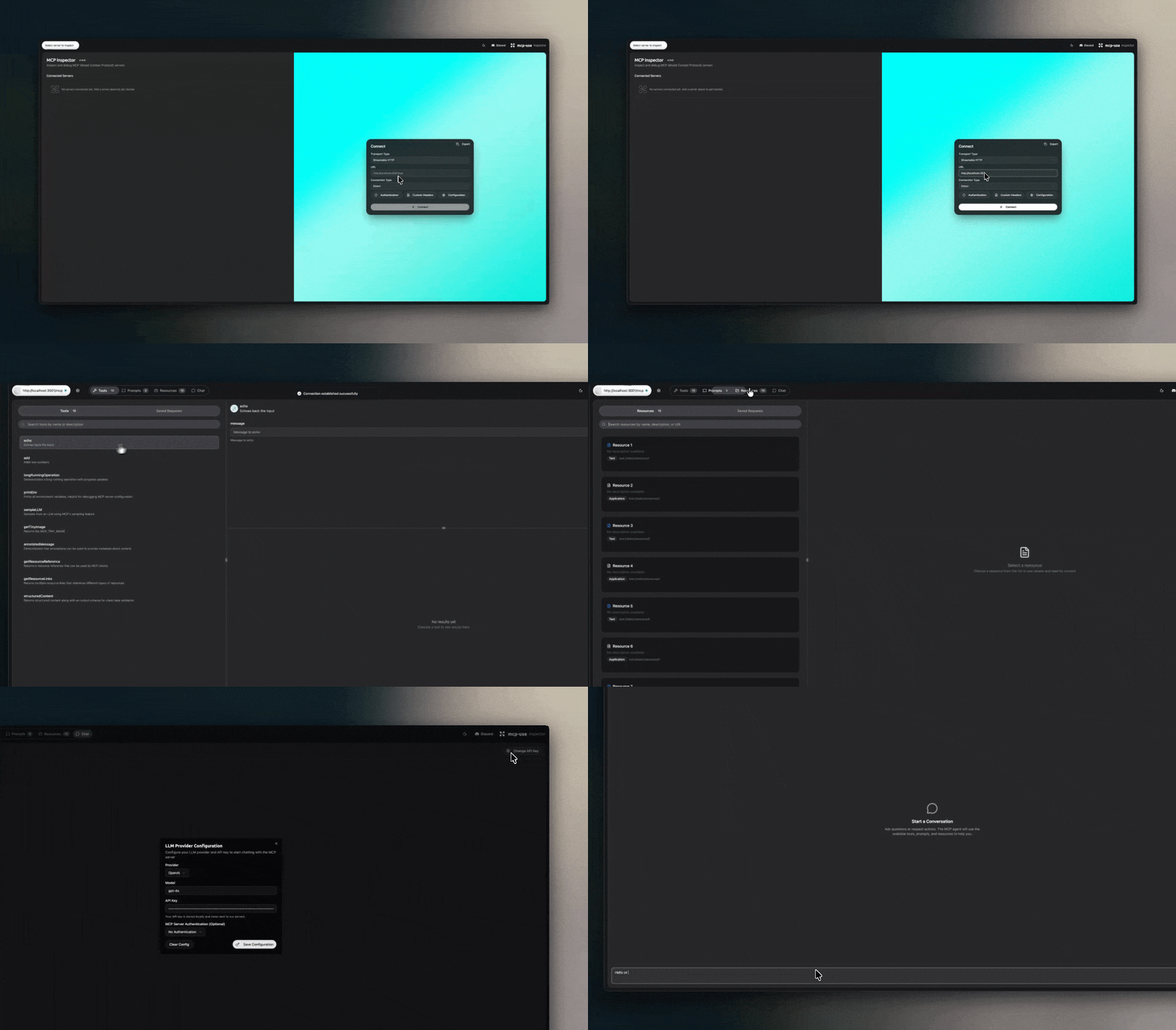
The Inspector UI is a built-in web interface that provides real-time monitoring and debugging capabilities for your MCP server. It's a visual dashboard that shows server status, available tools, resources, and logs. It also includes a BYOK (Bring Your Own Key) chat interface for interactive communication with your MCP server.
## Why Use the Inspector UI?
The Inspector UI makes it easier to:
* **Debug issues** by seeing real-time logs and server status
* **Test tools** interactively without writing client code
* **Monitor performance** with live metrics and request tracking
* **Explore capabilities** by browsing available tools and resources
* **Chat with your server** using the built-in BYOK chat interface
The Inspector UI is only available when the server is running in **debug mode**. It is automatically disabled in production for security reasons.
## Accessing the Inspector
Once your mcp-use server is running in debug mode, you can access the Inspector UI in your browser.
By default, the Inspector lives at `/inspector`.
For a server running on `http://localhost:3001`, the default Inspector URL is:
`http://localhost:3001/inspector`
### `inspector_path` semantics
`inspector_path` is a **base prefix**, not a replacement for `/inspector`.
* `inspector_path="/"` or omitting it keeps the default route at `/inspector`
* `inspector_path="/mcp"` mounts the Inspector at `/mcp/inspector`
* `inspector_path="/internal/debug"` mounts the Inspector at `/internal/debug/inspector`
* `inspector_path="/mcp/inspector"` is still accepted for backward compatibility and normalizes to the same final route
This is independent from `mcp_path`:
* `mcp_path="/mcp"` and default `inspector_path` gives you `/mcp` for MCP traffic and `/inspector` for the Inspector
* `mcp_path="/mcp"` and `inspector_path="/mcp"` gives you `/mcp` for MCP traffic and `/mcp/inspector` for the Inspector
```python theme={null}
from mcp_use.server import MCPServer
server = MCPServer(
name="my-server",
debug=True,
mcp_path="/mcp",
inspector_path="/mcp",
)
# MCP endpoint: /mcp
# Inspector endpoint: /mcp/inspector
```
## Demo
 ## Configuration
The Inspector UI is automatically enabled when running in debug mode and disabled in production.
```python theme={null}
from mcp_use.server import MCPServer
server = MCPServer(
name="my-server",
debug=True,
inspector_path="/internal",
)
# Inspector endpoint: /internal/inspector
```
## Next Steps
* [Running the Server](/python/server/running) - How to run your server
* [Quickstart Guide](/python/getting-started/quickstart) - Build your first server
## Configuration
The Inspector UI is automatically enabled when running in debug mode and disabled in production.
```python theme={null}
from mcp_use.server import MCPServer
server = MCPServer(
name="my-server",
debug=True,
inspector_path="/internal",
)
# Inspector endpoint: /internal/inspector
```
## Next Steps
* [Running the Server](/python/server/running) - How to run your server
* [Quickstart Guide](/python/getting-started/quickstart) - Build your first server