

landing.tsx file that default-exports a React component.
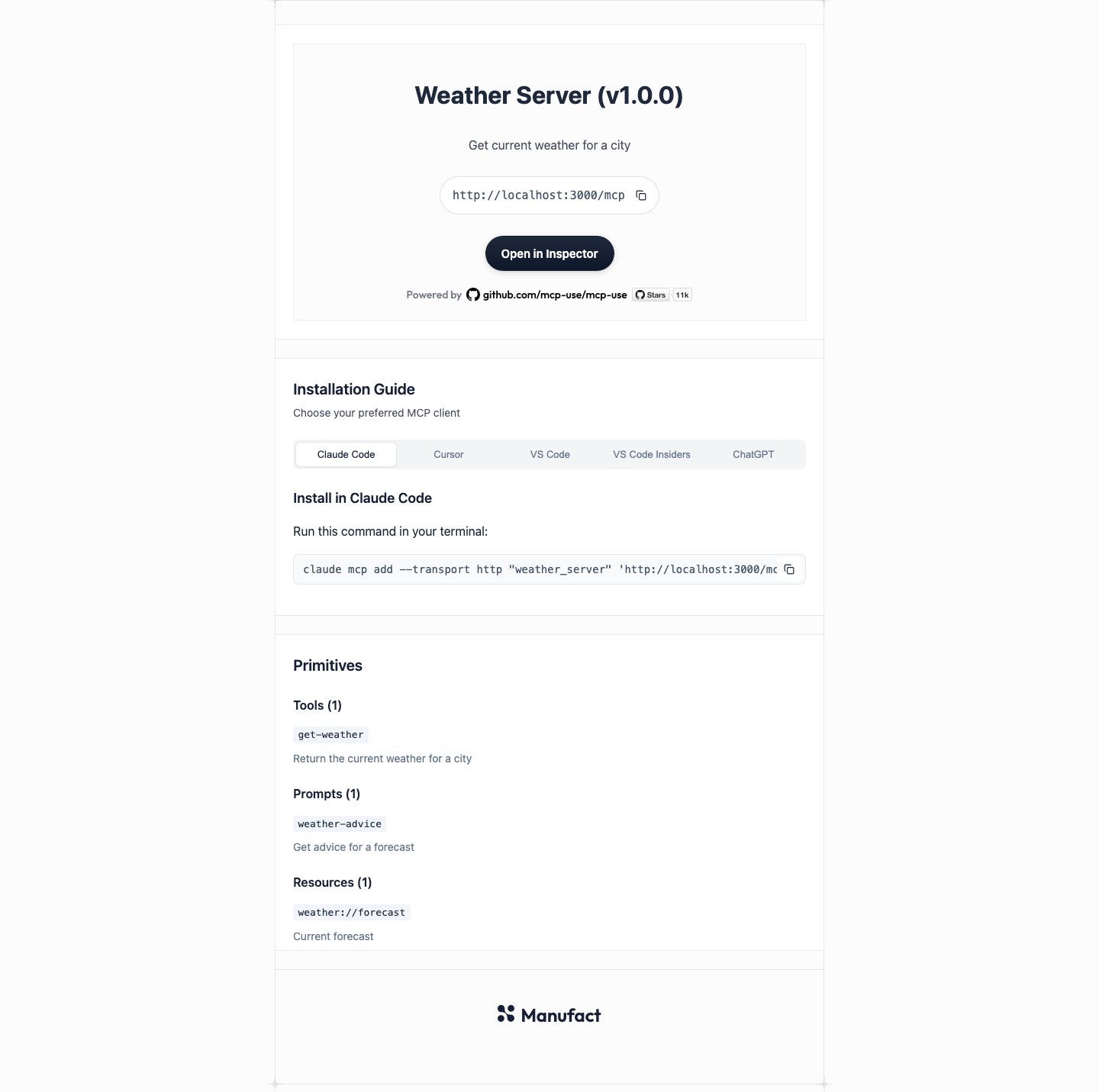
The built-in page looks like this for a sample Weather Server:
Create a custom landing page
1
Install React
2
Add landing.tsx next to your server entry
mcp-use/landing:landing.tsx
3
Open the page
Run
mcp-use dev and open the MCP URL, such as http://localhost:3000/mcp, in a browser.landing.tsx.
Show server data
Call these hooks from any component rendered bylanding.tsx:
Add install buttons
useInstallTargets() returns the same install links and commands as the built-in page, one entry per client. Each entry has a label and one field that says how to install:
To show a few clients, read their entries by key:
Object.values(). The keys are in the built-in page’s tab order, so check which field each entry has:
Set the page title and social previews
Export ametadata object from landing.tsx to set the <title>, the meta description, and the Open Graph and Twitter tags:
landing.tsx
Every field is optional.
icon and image accept an absolute URL or a path in the project’s public/ directory. mcp-use HTML-escapes every value.
metadata must be a plain object. mcp-use reads it once when the module loads, so it cannot change per request. Fields that are not strings are ignored, and the server logs a warning that starts with [mcp-use] landing.tsx metadata:.
Style the page
Tailwind classes work inlanding.tsx with no setup. The page loads the same CLI-managed Tailwind stylesheet as MCP Apps views, including Tailwind’s preflight reset, which removes browser defaults such as list markers and heading sizes.
To add your own CSS, import a stylesheet. It loads after Tailwind, so your rules win where both set a property:
landing.tsx
public/ directory, prefix its path with publicBaseUrl:
Dark mode
dark: classes work with no setup. Before the first paint, mcp-use sets data-theme="dark" or data-theme="light" on <html> from the visitor’s OS color scheme, and updates it when the OS setting changes. Tailwind’s dark: variant follows data-theme.
document.documentElement.dataset.theme yourself. After the page changes the value, mcp-use stops syncing it with the OS.
Customize Tailwind
To add theme tokens, utilities, or your owndark variant, import Tailwind in the page’s stylesheet. You don’t need to install tailwindcss:
landing.css
@import "tailwindcss", mcp-use drops its managed stylesheet and compiles only yours.
Preview changes with mcp-use dev
mcp-use dev reloads the page as you edit:
- Component edits update the open page with Fast Refresh and keep React state. CSS edits apply immediately.
- Adding or deleting
landing.tsxswitches the open tab between your page and the built-in page. - Broken edits, such as a syntax error or a missing default export, keep the last working page on screen. The terminal logs
[mcp-use] landing update failed; serving last working pagewith the error.
Reference
LandingServerInfo
Returned byuseServerInfo().
List items
Install targets
useInstallTargets() returns an InstallTargets object. Object.values() lists the entries in this order:
Clients store the server name lowercased, with characters other than letters, digits,
-, and _ replaced by _.