

MCP Server
mcp-use has a complete MCP server framework implementation for TypeScript. It improves the official Model Context Protocol SDK with many developer friendly features. In addition, it supports all official MCP features and achieves a conformance score of 100% based on the official MCP Conformance Tests.Key Features
- Full MCP compatibility: MCP servers built with mcp-use are 100% compatible with the MCP specs.
- MCP Apps support: UI widgets are compatible with MCP Apps for all compatible clients (ChatGPT, Claude, etc.). UI Widgets.
- Edge runtime support: Built-in Edge runtime support
- Built-in Inspector: A built-in MCP inspector launches automatically so you can test your server immediately. See MCP Inspector for more details.
- Hot Module Reloading: Add, remove, or update tools, prompts, and resources without restarting the server or dropping connections.
- One command to get started: Use
npx create-mcp-use-appcommand to scaffold a complete MCP server.
Installation
Using create-mcp-use-app (recommended)
The easiest way to get started is to use thecreate-mcp-use-app command, which scaffolds a complete MCP server project with all necessary configuration:
Project Structure
After creation, your project will have this structure:Running Your MCP Server
Commands:- MCP Endpoint:
http://localhost:3000/mcp- For MCP client connections - MCP Inspector:
http://localhost:3000/inspector
Hot Module Reloading (HMR)
The development server supports Hot Module Reloading for tools, prompts, and resources. When you modify your server file, changes are applied instantly without restarting the server or dropping client connections.- Add tools/prompts/resources: New registrations appear immediately
- Update existing ones: Changes to descriptions, schemas, or handlers are applied in-place
- Remove registrations: Deleted tools/prompts/resources are removed from the server
- Notify clients: Connected clients (like the Inspector) receive
list_changednotifications and auto-refresh
Deploy Your MCP Server
You can deploy your MCP server on any platform. Build your MCP server withnpm run build and start the production server with npm run start.
Or you can deploy it on Manufact Cloud.
For detailed instructions, see the Deploy Your Server guide.
Next Steps
- Core features: Learn how to create MCP tools, prompts and resources.
- UI Widgets: Expose UI components to chat clients compatible with ChatGPT Apps SDK and MCP-UI.
- Configuration: Advanced configuration and deployment options.
- Deploy Your Server - Deploy to production with one command
Manual Installation
If you prefer to set up manually or add mcp-use to an existing project, install the package via npm:Architecture Overview
The mcp-use server framework is designed around a modular architecture that seamlessly integrates MCP protocol features with Hono’s flexibility. Understanding this architecture helps you build powerful, production-ready MCP servers. The framework is built on six fundamental components that work together:Server Instance
The mainMCPServer class created via new MCPServer(). It orchestrates all MCP functionality, manages the Hono application, and handles client connections.
Learn more: See Configuration for server setup options.
Tools
Executable functions that MCP clients can invoke with typed parameters. Tools perform actions, fetch data, or trigger operations and return structured results. Learn more: Tools Guide →Resources
Static or dynamic content accessible via URIs. Resources can be configuration files, documentation, data feeds, or any content that clients need to read. Learn more: Resources Guide →Prompts
Reusable, parameterized templates for AI model interactions. Prompts standardize how your server generates context for LLM conversations. Learn more: Prompts Guide →UI Widgets (MCP Apps)
Rich, interactive React components that render in chat clients. Widgets are automatically registered from yourresources/ folder and work with all compatible clients (ChatGPT, Claude, etc.).
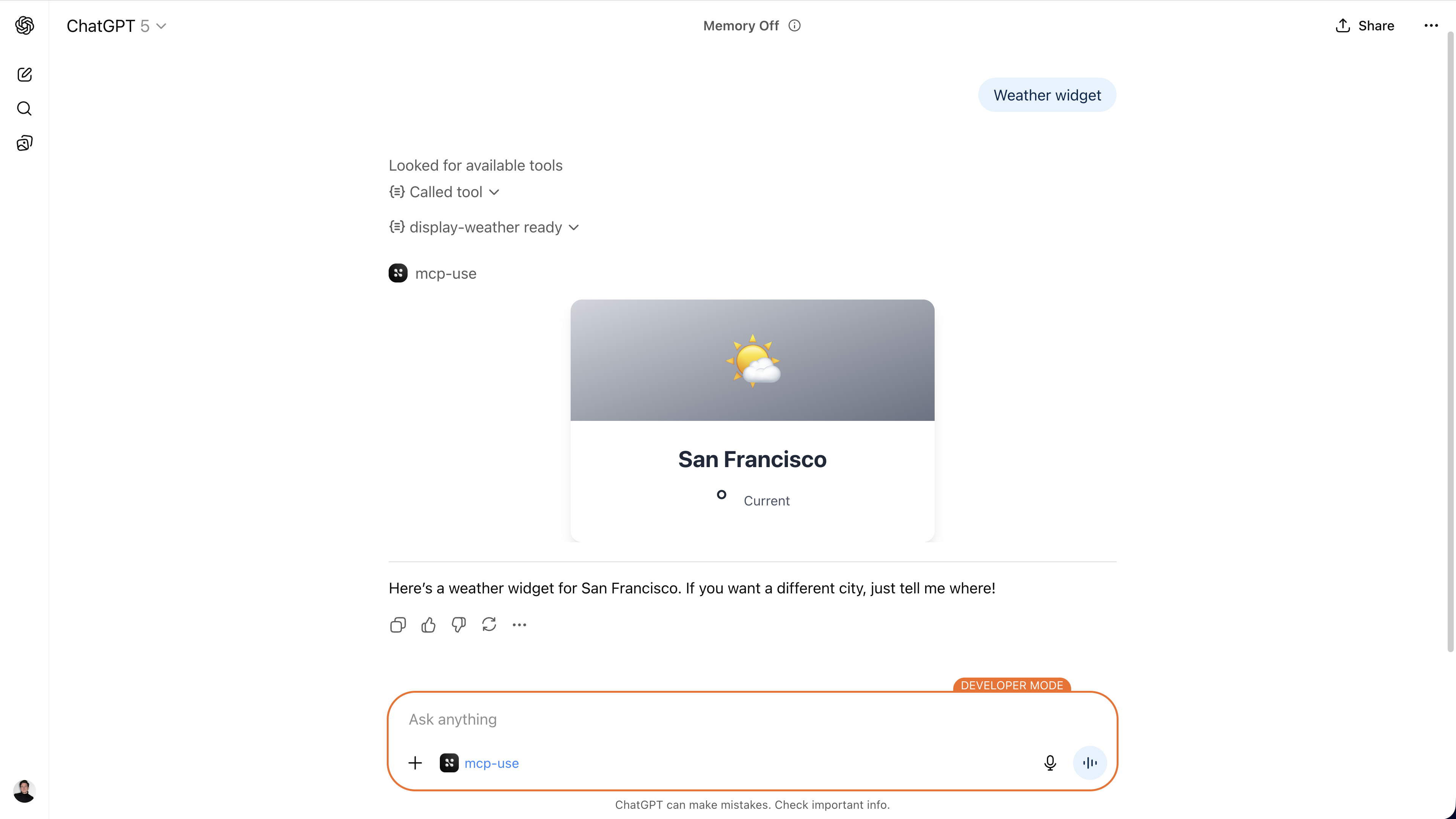
- Automatic Registration: Drop
.tsxfiles inresources/and they become MCP tools - Zero Boilerplate: No manual
server.tool()orserver.uiResource()calls needed - Hot Module Replacement: Changes reflect instantly during development
- Type-Safe Props: Zod schemas provide full TypeScript type safety
- Interactive: Widgets can call tools, manage state, and respond to user actions
Custom Endpoints Integration
Full Hono functionality for custom routes, middleware, authentication, static file serving, and more. The server instance is also a Hono app.McpServer API Reference
TheMcpServer class provides a clean, chainable API:
- OAuth Authentication: Configure OAuth providers for secure authentication
- Sampling: Request LLM completions from the client during tool execution
- Notifications: Send real-time notifications to connected clients
- Inspector UI: Interactive debugging interface automatically served at
/inspectorendpoint
Next Steps
Tools
Build executable functions with parameters and validation
OpenAPI
Generate MCP tools from an existing OpenAPI document
Resources
Expose static and dynamic content via URI-based resources
Prompts
Create reusable prompt templates for AI interactions
UI Widgets
Build interactive React components with auto-registration
Proxy Servers
Compose multiple MCP servers into a single unified aggregator
Configuration
Configure your server for production deployment
Deploy to Production
Deploy your server to Manufact Cloud with one command